Edit your static site in the browser.
Put one PHP file next to your index.html, choose a password, and click any text or image on your pages to change it. No database, no build step, no WordPress.
- Version
- 0.3.0
- License
- MIT, free
- Size
- One file, 280 KB
- Needs
- PHP 8.1
 PlumaEditor
index.html
All changes saved
PlumaEditor
index.html
All changes saved
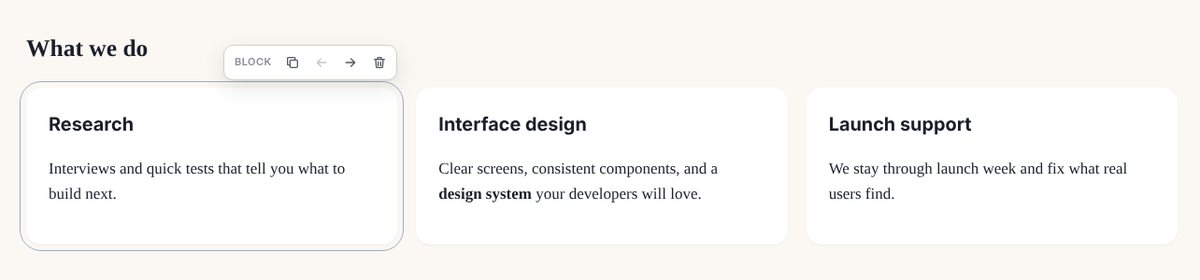
Try it: click the heading, the text or the picture, or hover a card to duplicate it. Changes stay in your browser.
Three steps, five minutes.
Works on almost any hosting with PHP. If your site is a folder of HTML files, it's ready.
-
Upload one file
Copy
pluma.phpinto the folder that holds yourindex.html, by FTP or with your host's file manager. -
Choose a password
Open
your-site.com/pluma.phpstraight away and set the password. Whoever opens it first sets it. -
Click and edit
Your pages open with every text, link and image ready to change. Press Save and the HTML file is updated.
Your HTML stays yours.
PlumaEditor doesn't rebuild your pages. When you change a sentence, it changes that sentence in the file and leaves every other byte as it was: your layout, your scripts, your comments.
- A copy before every savePreview and restore any earlier version. The original page is never deleted.
- Checked before it's writtenIf a change would break the structure of the page, nothing is saved.
- Safe by defaultScripts and unsafe links can't be typed into your pages, and uploads are re-encoded.
<main><section class="hero"><h1>Fresh bread every morning</h1><h1>Fresh bread, every morning since 1952</h1><p class="lead">Open Tuesday to Sunday.</p><!-- photo by Ana, spring 2025 --><img src="img/shop.jpg" alt="Our shop"></section>
Everything a site owner changes, nothing that breaks it.
Point and click for the people who run the site. Plain HTML for the people who build it.
Text
Headings, paragraphs, lists and buttons, with bold, italic and links.
Images
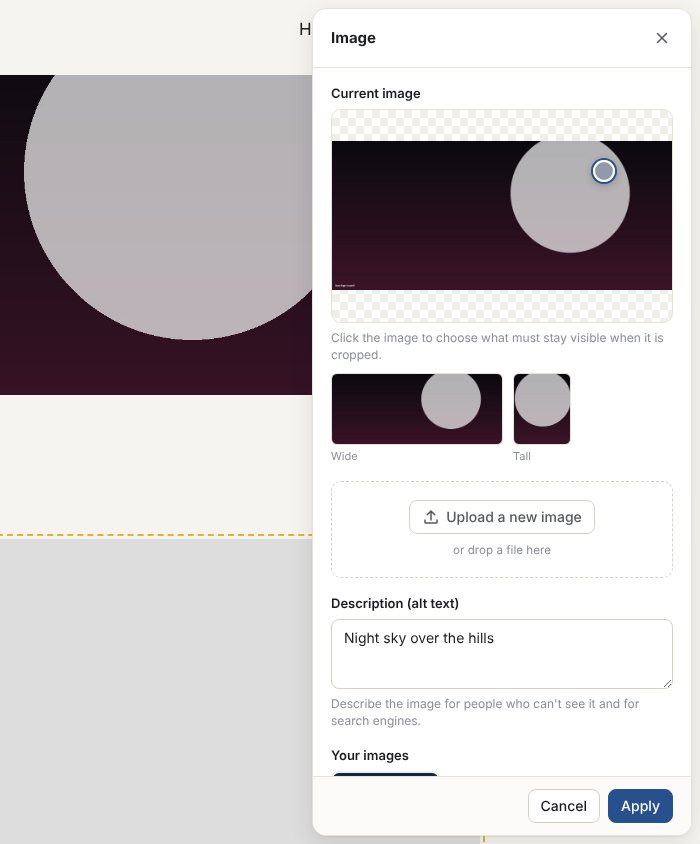
Upload a photo from your phone: it's resized, converted to WebP and stripped of location data. Choose the focal point for tight crops.
Blocks
Duplicate, move and delete cards, team members, events, slides or list items. Copies keep the design.
Video
Paste a YouTube or Vimeo link to change a trailer. YouTube plays in privacy mode.
Menus and footers
Edit a shared menu once and every page gets it, with links adjusted for pages in subfolders.
Search and sharing
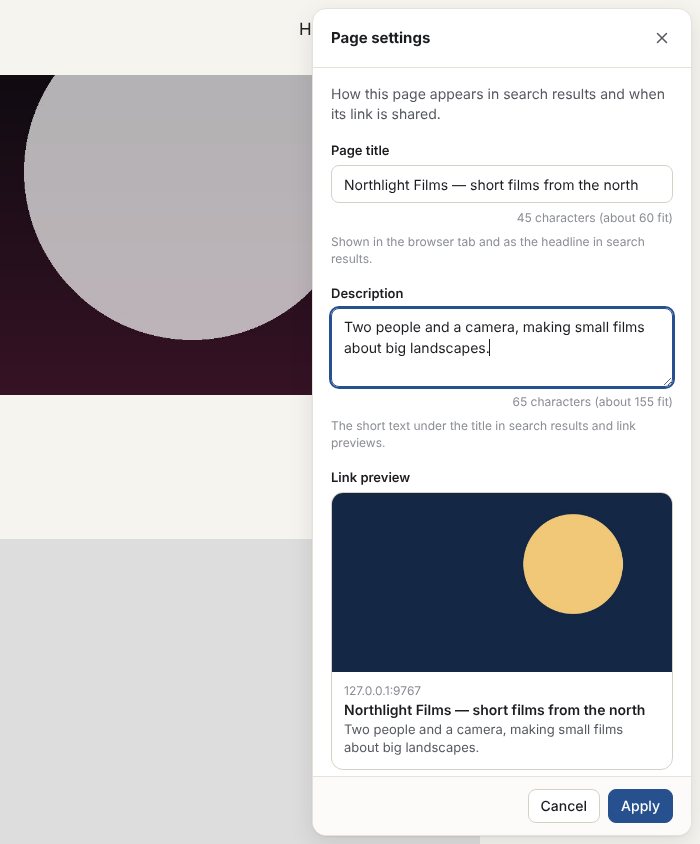
Set each page's title, description and the picture shown when its link is shared.
New pages
Start a new page as a copy of an existing one, then change its words and pictures.
History
Undo while you edit, and restore any saved version later.
Made for sites built with AI.
AI tools write good-looking HTML, but the site gets stuck the moment you need to change a price or a photo. Add this to your prompt and the site comes back ready for PlumaEditor, with exactly the parts you want to edit marked.
Already have a site? It works without any marks too: headings, paragraphs, links and images are found automatically.
Make the site editable with PlumaEditor. Use plain static HTML files (no build step, no framework that renders content with JavaScript). Mark editable content with these attributes:
- data-pluma="text" on headings, button labels and short labels;
- data-pluma="rich" on paragraphs, and on containers whose paragraphs may grow;
- data-pluma="image" on content images, with width, height and a meaningful alt;
- data-pluma="bg" on elements with a content background image, set inline;
- data-pluma="link" on call-to-action links;
- data-pluma="video" on YouTube or Vimeo iframes;
- data-pluma-shared="header" and data-pluma-shared="footer" on the header (with the menu) and the footer, identical on every page;
- data-pluma-repeat="…" on every item of repeated content (each card, team member, event, slide), side by side.
Keep text in the HTML, not injected by scripts.
Questions
Is it really free?
Yes. PlumaEditor is open source under the MIT license: use it on as many sites as you like, for yourself or for clients. If it saves you time, you can support its development.
Will it work on my hosting?
If your host runs PHP 8.1 or newer with the gd extension, almost certainly. It works on Apache and Nginx, and needs no database. The first screen checks your server and tells you, in plain words, if something is missing.
How is it different from WordPress?
WordPress builds your pages from a database every time someone visits. PlumaEditor edits the HTML files you already have and then gets out of the way: visitors get plain, fast pages, and there is nothing to update or patch except one file.
Is it secure?
The password is stored with Argon2id, sign-ins are rate-limited, every change is checked on the server, and private data lives in files the web server never shows. Set your password right after uploading, and use HTTPS. Found a problem? See Support.
Can several people edit?
Not yet: version 0.3 has one password per site. Drafts, and accounts for clients, are planned.
What if I stop using it?
Delete pluma.php and the .pluma folder. Your pages are ordinary HTML files and keep working exactly as they are.
Your site, editable today.
Download the zip, upload pluma.php and start editing. Read the install guide first if it's your first time.